Intent – At Albrighton Primary School and Nursery, we believe that a broad, rich and creative curriculum is essential in the education of all pupils. We understand that a high-quality computing education should inspire in pupils a curiosity and fascination about technology and prepare them for their next stage in education. Closely linked with our PSHE curriculum, we aim to enable our children to become happy, healthy, independent and responsible citizens online. Our computing curriculum will equip pupils with knowledge about computer science, information technology and digital literacy. Our principle aims for computing are for children to:
- Develop their understanding of technology and how it is constantly evolving.
- Develop their skills and capability which is essential to developing Computer capability.
- Evaluate the benefits and risks of technology and how to manage their use of it safely and respectfully.
- Be responsible, competent, confident and creative users of information and communication technology.
- Celebrate success in the use of technology.
At Albrighton Primary School we embed computing across the whole curriculum. We believe that the knowledge and skills that intertwine with computing learning are vital in not only a child’s education, but also in their wider life. Our computing curriculum will support pupils to be prepared for the next stage in their young lives and to live responsibly in an everchanging, modern and diverse world. Children will develop their computing knowledge and skills to help them become confident and competent users of technology. Children’s knowledge and skills will develop progressively as they move through the school, not only to enable them to meet the requirements of the National Curriculum but to prepare them to effectively live a progressive and varied world.
Our strands showing Computer Science, Information Technology, Digital Literacy and E-Safety can be seen below:
Computing Strand Progression
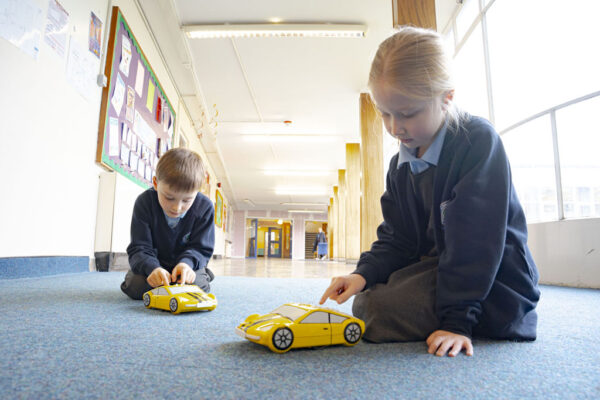
Implementation – In EYFS children learn through exploratory play, using technological toys. They are taught how to complete simple programs which they use to support their phonics and mathematical skills. Through role play, discussion and stories children learn that technology can be used for a range of purposes across home and school. At Key Stages 1 and 2, we follow the National Curriculum Objectives, which have been broken down into the necessary knowledge and skills that need to be taught at each phase. We plan weekly computing lessons using and adapting agreed planning from Teach Computing to focus on maximising children’s knowledge acquisition over time. Children learn about different programmes, coding, online safety, games and creative tools. Where appropriate, meaningful links are made between the computing curriculum and the wider curriculum, especially PSHE. Employing cross-curricular links motivates pupils and supports them to make connections and remember the skills they have been taught. Local links with RAF Cosford and STEM opportunities facilitate challenge for pupils in computing.
Impact – Children will have developed the computing knowledge and skills to help them become confident and competent users of technology. Children’s knowledge and skills will develop progressively as they move through the school, not only to enable them to meet the requirements of the National Curriculum but to prepare them to effectively live a modern and diverse world.
We measure the impact of computing through the following methods:
- Assessing children’s understanding of the knowledge and linked vocabulary before and after the unit is taught.
- Formative assessment throughout lessons – questioning and AFL tasks to check knowledge and understanding.
- Opportunities to use knowledge in other contexts such as in literacy or PSHE.
- Interviewing the pupils about their learning (pupil voice).
- Moderation staff meetings where there is the opportunity for a dialogue between teachers to understand their class’s work.
- Annual reporting of standards across the curriculum.
- High quality discussions around the Learning Objectives and Success Criteria.
Please find below our Computing Policy:
Computing Policy
Please find below our Computing Curriculum Overview, (we are currently in Cycle B):

Teach Computing overview – KS1 & KS2
Please find below our Computing Progression Document for EYFS, KS1 and KS2:
Computing Progression Document
EYFS Progression Document
Please find below our SMSC Statement for Computing:
Computing SMSC Statement
Latest E-Safety Newsletter:
Online Safety Newsletter Primary November
Parental Support:
Please see our Online Safety Page under the Parental Support section of this website for more details of how you can stay on top of online safety and help your child stay safe when they are online. There you will find an archive of our online safety newsletters and lots of information and support on the latest Games, Apps and Devices with tips and guides for parental controls and managing the risks children may face online.
Parental-Controls-booklet-2025
Support at home:
In school we use many different applications to teach Computing, here are a few you are able to access at home for support:
Scratch
Scratch Junior
Beebot
J2data
Paintz
Chrome Music Lab
TinkerCad