Scientific Equipment

Today we practised using scientific equipment such as stop watches and thermometers ready to carry out our own scientific investigation next week.

Online Safety Video – Digital Wellbeing

October Video:

This month’s theme is Digital Wellbeing

Description: This video provides a quick overview on how to help children build healthier tech habits.


You can access the video below:

Reminder – Parent E-Safety Session

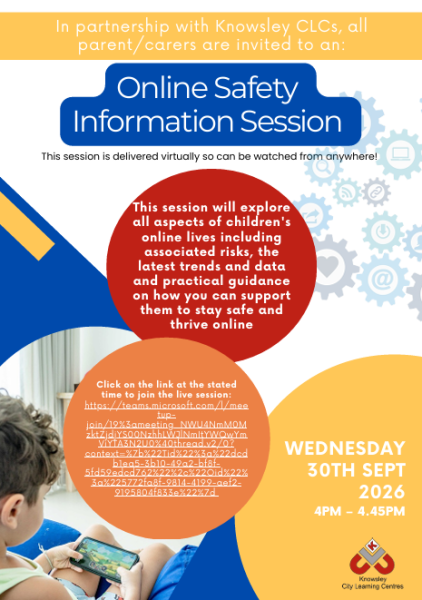
Please find below the link to access the parent/carer session scheduled for next Wednesday 30th September 2026: 4pm – 4.45pm.

https://teams.microsoft.com/l/meetup-join/19%3ameeting_NWU4NmM0MzktZjdjYS00NzhhLWJlNmItYWQwYmViYTA3N2U0%40thread.v2/0?context=%7b%22Tid%22%3a%22dcdb1ea5-3b10-49a2-bf8f-5fd59edcd762%22%2c%22Oid%22%3a%225772fa8f-9814-4199-aef2-9195804f833e%22%7d

This terms focus: This session will cover all aspects of children’s online lives and will cover the associated risks, the latest trends and data and guidance on how you can support their online lives.

You do not need to register, they simply click on the link at the above time to access the session.  Cameras and voice/audio will be switched off for all attendees.  Attendees can ask questions by typing in the Q&A box, but this will be explained during the session.

The event will be streamed using Teams.  Attendees can watch the live event in:

  • Teams app—desktop (Windows or Mac) or mobile. (The Teams app is free to download if attendees would like to do that beforehand).
  • If they don’t have Teams they can access it via one of the following browsers – Google Chrome, Microsoft Edge or Firefox.

As a reminder, this session will be recorded and will be subsequently shared so if you cannot make the live session then you can watch it back at a time that is convenient to you.

TT Rockstars battles!

As part of year 3/4s homework we are launching weekly TT Rockstars battles between the classes!

There will be a new battle starting every Monday, with children able to earn points in school and at home. Every week there will be certificates and dojos for the winning class and the highest scoring children in each class.
The aim is to get the children practising little and often and really build their times table fluency.

Thank you for your support with this!

E-Safety Parent Session

Please find below the link to access the parent/carer session scheduled for next Wednesday 30th September 2026: 4pm – 4.45pm.

https://teams.microsoft.com/l/meetup-join/19%3ameeting_NWU4NmM0MzktZjdjYS00NzhhLWJlNmItYWQwYmViYTA3N2U0%40thread.v2/0?context=%7b%22Tid%22%3a%22dcdb1ea5-3b10-49a2-bf8f-5fd59edcd762%22%2c%22Oid%22%3a%225772fa8f-9814-4199-aef2-9195804f833e%22%7d

This terms focus: This session will cover all aspects of children’s online lives and will cover the associated risks, the latest trends and data and guidance on how you can support their online lives.

You do not need to register, they simply click on the link at the above time to access the session.  Cameras and voice/audio will be switched off for all attendees.  Attendees can ask questions by typing in the Q&A box, but this will be explained during the session.

The event will be streamed using Teams.  Attendees can watch the live event in:

  • Teams app—desktop (Windows or Mac) or mobile. (The Teams app is free to download if attendees would like to do that beforehand).
  • If they don’t have Teams they can access it via one of the following browsers – Google Chrome, Microsoft Edge or Firefox.

As a reminder, this session will be recorded and will be subsequently shared so if you cannot make the live session then you can watch it back at a time that is convenient to you.

Scratch

For our first computing lesson this term, we had a go at programming a sprite to move in scratch and changing the colours and sounds our sprite could make.